
Launch Your Shopify Store in 2 Weeks — Trusted by 200+ Brands

Helping brands scale with innovative and result-oriented digital strategies.
From SEO to ads, we drive real growth that matters.

★ WEB DEVELOPMENT ★ UI/UX DESIGN ★ DIGITAL MARKETING ★ CLOUD SERVICES ★ WEB DEVELOPMENT ★ UI/UX DESIGN ★ DIGITAL MARKETING ★ CLOUD SERVICES ★

The Importance of an Effective E-commerce Website In today’s digital era, having a strong online presence is crucial for the success of any e-commerce business. An effective e-commerce website serves as the foundation for attracting customers, showcasing products, and driving sales. It provides a platform to engage with your target audience and build a reputable brand image.

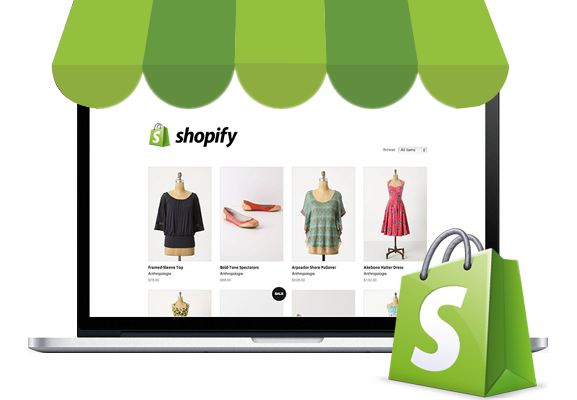
The Role of Shopify in E-commerce When it comes to e-commerce platforms, Shopify stands out as a leading solution. It offers a user-friendly interface, powerful features, and extensive customization options that enable businesses to create and manage their online stores with ease. Shopify provides a seamless and secure environment for selling products, processing payments, and optimizing conversions.

Overview of Shopify Design and Development Services To leverage the full potential of Shopify, professional design and development services are essential. With expert assistance, you can ensure that your Shopify store not only looks visually appealing but also functions optimally. From designing a captivating storefront to implementing advanced features, Shopify design and development services help you create a compelling online shopping experience for your customers.

Understanding Shopify

What is Shopify?

Shopify is a robust e-commerce platform that empowers businesses to set up and manage their online stores efficiently. It provides a comprehensive range of features, including website hosting, payment processing, inventory management, and marketing tools. With its intuitive interface, even users with limited technical expertise can easily create and customize their online stores.

Shopify vs. Other E-commerce Platforms

While there are several e-commerce platforms available, Shopify stands out for its simplicity, robustness, and versatility. Compared to other platforms, Shopify offers an intuitive interface, extensive customization options, and a strong ecosystem of apps and plugins. It provides a comprehensive solution that caters to businesses of all sizes, from startups to enterprise-level ventures.

Planning Your Shopify Store

Defining Your Business Goals and Target Audience

Before diving into Shopify design and development, it’s crucial to define your business goals and identify your target audience. Understanding your target market helps you tailor your store’s design, product selection, and marketing strategies to meet their specific needs and preferences.

Choosing the Right Shopify Plan for Your Needs

Shopify offers different plans to suit varying business requirements. Assess your budget, expected traffic, and desired features to determine the most suitable plan for your store. Consider factors such as transaction fees, advanced reporting capabilities, and access to additional functionalities when making your decision.

Selecting a Suitable Theme for Your Store

A visually appealing and well-organized theme sets the tone for your store and enhances the overall shopping experience. Explore Shopify’s extensive theme library and choose a design that aligns with your brand identity and showcases your products effectively. Look for themes that are customizable, responsive, and optimized for conversions.

Customizing Your Store's Appearance and Branding

To create a unique and memorable brand experience, customize your store’s appearance and branding elements. Shopify allows you to modify colors, fonts, layouts, and imagery to reflect your brand’s personality. Consistent branding across your store’s design elements reinforces your brand identity and helps build trust with your customers.

Setting Up Your Shopify Store

Creating Your Shopify Account

To get started with Shopify, sign up for an account and follow the simple setup process. Provide the necessary details, such as your store name, business information, and payment preferences. Once your account is set up, you can begin building your store

Configuring Essential Settings

Navigate through Shopify’s admin dashboard to configure essential settings for your store. This includes setting up your domain name, defining shipping options, configuring tax settings, and establishing your store’s policies. Pay attention to these details to ensure a smooth and seamless shopping experience for your customers

Adding and Managing Products

Efficiently manage your inventory by adding and organizing products in your Shopify store. Include compelling product descriptions, high-quality images, and relevant metadata to enhance the visibility and appeal of your offerings. Shopify’s intuitive interface simplifies the process of adding, editing, and categorizing your products.

Setting Up Payment Gateways and Shipping Options

Enable seamless payment processing by integrating your preferred payment gateways with Shopify. Choose from a wide range of supported payment providers to offer secure and convenient payment options to your customers. Additionally, configure shipping options, including pricing, carriers, and delivery regions, to streamline the shipping process.

Optimizing Your Shopify Store

Meet Our Team

The Right Tech Stack for Your Needs

Built Right. Scales Smooth. No Duct Tape Needed.

CMS

This is the heading

This is the heading

This is the heading

This is the heading

This is the heading

This is the heading

Enhance user experience with Advanced Tabs, allowing seamless content navigation. Organize information efficiently while keeping the interface clean and interactive. Perfect for FAQs, product details, or multi-section content.

Enhance user experience with Advanced Tabs, allowing seamless content navigation. Organize information efficiently while keeping the interface clean and interactive. Perfect for FAQs, product details, or multi-section content.

Pricing Tiers

Startup

$1,100
  • Unlimited calls
  • Free hosting
  • 500 MB of storage space
  • 500 MB Bandwidth
  • 24/7 support

Standard

$1,200
  • Unlimited calls
  • Free hosting
  • 500 MB of storage space
  • 500 MB Bandwidth
  • 24/7 support

Our Deep Expertise is Evident in Our Successful,
Home-Grown Businesses

Shopify Store Security and Performance

Ensuring Secure Payment Transactions

Security is paramount in e-commerce. Shopify provides a secure infrastructure that safeguards your customers’ data and ensures secure payment transactions. With SSL encryption, PCI compliance, and fraud prevention measures, Shopify offers a secure environment for processing payments and protecting sensitive customer information.

Regularly Backing Up Your Store Data

Protect your business from data loss by regularly backing up your Shopify store. Shopify automatically backs up your store data, including products, orders, and customer information. However, it’s recommended to implement additional backup measures, such as using third-party backup apps or manually exporting your data to an external location

Monitoring and Improving Website Performance

Monitor your store’s performance to identify areas for improvement. Utilize Shopify’s built-in analytics and reporting tools to track key performance metrics, such as page views, conversion rates, and average order value. Identify bottlenecks and optimize your store’s performance by addressing issues related to page load speed, broken links, and other performance-related factors.

Handling Traffic Surges and Scalability

Prepare your Shopify store to handle sudden increases in traffic and ensure scalability as your business grows. Shopify’s infrastructure is designed to handle high volumes of traffic, but it’s essential to monitor your store’s performance during peak periods and optimize server response times. Utilize Shopify’s scaling options, such as upgrading your plan or implementing content delivery networks (CDNs), to accommodate increased demand.

Shopify Store Analytics and Reporting

Shopify Store Maintenance and Support

Regular Updates and Software Upgrades

Stay up to date with the latest features, security patches, and performance enhancements by regularly updating your Shopify store. Shopify frequently releases updates to improve functionality and address potential vulnerabilities. Ensure that your store is using the latest version of Shopify’s software to benefit from the most recent advancements.

Handling Technical Issues and Troubleshooting

In the event of technical issues or errors, it’s crucial to have reliable technical support. Shopify provides 24/7 customer support to assist with any technical inquiries or challenges you may encounter. Leverage their expertise to troubleshoot issues and ensure the smooth operation of your Shopify store.

Providing Customer Support and Live Chat Integration

Deliver exceptional customer support by integrating live chat functionality into your Shopify store. Offer real-time assistance to customers, answer their questions, and guide them through the purchasing process. Live chat integration enhances customer satisfaction and helps build trust, leading to increased sales and customer loyalty.

Utilizing Shopify's Help Center and Community

Explore Shopify’s extensive help center, documentation, and community forums to find answers to common questions and learn from other Shopify users. The help center provides comprehensive resources, tutorials, and guides to assist you in using Shopify’s features effectively. Engage with the Shopify community to exchange ideas, seek advice, and stay updated on industry best practices.

What Our Clients Say About Us

Ravin did an excellent job for us. He did all the upgrades we requested and even add a few extra. He's smart and very talented, we highly recommend him. We deleted a few of the items on our task list because we simplified our website layout. Since it took less time, Ravin gave us a $150 discount. Thanks!

get3
Steve Golden

Deepak is extremely sharp and expertly knows his way around Shopify. When other developers proposed some complicated solution for my task, Deepak instead provided me with a much more efficient method which he explained until I fully understood. He even gave me tips on how to protect myself in the upwork contract, stating that he is going to do the job with the highest quality, and within the agreed upon initial terms. Whenever I need a project done in the future, I won't hesitate to call him up first.

get3
Daryl Suharli

Suman and her team are very attentive to their clients' needs. They put in a lot of patience and effort in understanding what I want and will not hesitate to reach out if they need more information. They execute accurately and deliver exactly what I need. They give very knowledgable advice and help me a lot in areas that I am not clear about. I am already working on a second project with Suman and her team and look forward to amazing results.

get3
Fern Koh

I had a great experience working with Deepak. He is a great coder and worked very quickly. I would absolutely recommend him for any coding needs!

get3
Ashley Strommen

TheFabcode is highly professional and knowledgeable on the subject. Communication has been clear and timely with positive and measurable results.

get3
Anita Wilson

Great experience. He was very attentive to our business needs. Responsive, dependable, and accommodating to any ask we had for him. Extremely professional and patient with my (many) needs. 🙂 Very pleased with the finished product. Will be most definitely using him again in the future. Thanks for a great experience!

get3
Jamie Kennedy

Ravin is an incredible, competent, and professional freelancer and we are lucky to have found him. We already have hired him for a new ongoing project and he has become an asset to our team.

get3
Josh Deemer

Suman is an excellent freelancer that consistently delivered accurate, high quality work for our shopify store development. We will use her again.

get3
Ron Khordi

Thanks again Suman for your high quality of work! It is always a pleasure to work with you! Looking forward to the next project with you.

get3
Oliver Plehn

Suman was a complete pleasure to work with! She always had an open line of communication and constantly kept me updated on the status of my project. The quality of her work is fantastic and she was always willing to go above and beyond to meet my needs. I look forward to working with her again! Great job!

get3
Julian Palei

Client Asked Questions..

Have questions about working with Fabcode? Here are some of the most common questions we hear from our clients. If you don’t find what you’re looking for, feel free to reach out — we’re here to help.
question
The costs of Shopify design and development can vary depending on factors such as the complexity of your store, customization requirements, and the expertise of the professionals you hire. It’s best to discuss your specific needs with Shopify experts or agencies to get accurate cost estimates.

Yes, you can use your own domain name with Shopify. You can either transfer an existing domain to Shopify or purchase a new domain through Shopify. This allows you to maintain your brand identity and create a seamless experience for your customers.

Shopify caters to businesses of all sizes, from small startups to large enterprises. Its scalability and flexibility make it suitable for businesses at any stage. Whether you’re just starting out or looking to expand, Shopify offers the tools and features to meet your specific e-commerce needs.
Yes, Shopify supports the sale of both physical and digital products. You can create product listings for physical items with inventory management, shipping options, and fulfillment capabilities. Additionally, you can sell digital products such as ebooks, software, or online courses, using Shopify’s digital product features.
Shopify prioritizes security and provides a secure environment for processing payments. The platform is Level 1 PCI DSS compliant, which means it meets the highest security standards for handling payment information. Shopify uses SSL encryption and tokenization to protect sensitive customer data and prevent unauthorized access.
While Shopify themes offer a high degree of customization, there may be some limitations based on the specific theme you choose. However, you can still customize various aspects of your store’s design, layout, and functionality using HTML, CSS, and Liquid. Additionally, Shopify’s app store offers a wide range of apps and plugins to extend the capabilities of your store.
Yes, you can migrate your existing store from another platform to Shopify. Shopify provides tools and resources to simplify the migration process, allowing you to transfer your products, customer data, and order history to your new Shopify store. Consult Shopify’s documentation or seek assistance from Shopify experts to ensure a successful migration.
Shopify offers built-in SEO features and provides the necessary tools to optimize your store for search engines. You can customize page titles, meta descriptions, URLs, and alt tags to improve your store’s search engine visibility. Additionally, Shopify’s themes are designed to be SEO-friendly, ensuring that your store adheres to best practices for organic search rankings.
Yes, Shopify offers 24/7 customer support through various channels, including email, live chat, and phone support. Their knowledgeable support team is available to assist you with technical issues, account-related inquiries, and general questions about using the Shopify platform.
To optimize your Shopify store’s performance, focus on factors such as page load speed, mobile responsiveness, and streamlined navigation. Optimize images, leverage caching mechanisms, and minimize code to improve page load times. Ensure that your store is responsive and visually appealing across devices. Additionally, regularly monitor and analyze your store’s analytics to identify areas for improvement and make data-driven optimizations.

Connect with Us Today!